Tag: Features

8 min. read

QuickBooks Online Category Details vs Item Details: How Supplier Bill Line Items Work

Every QuickBooks Online bill has two places line detail can go. One is called Category details. The other is called Item details. They sound similar, and plenty of bookkeepers use the two sections interchangeably without realising they behave nothing alike.

How to convert PDF Bank Statements into CSV or Excel
7 min. read

How to convert PDF Bank Statements into CSV or Excel

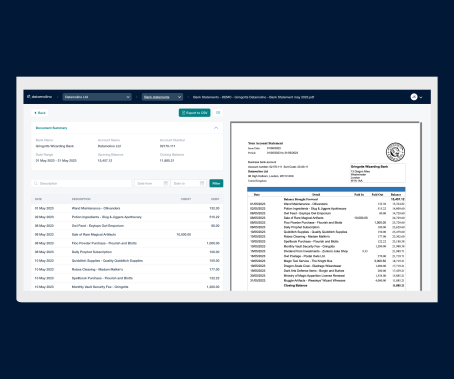
Converting bank statements into CSV and Excel can be automated with Datamolino. All you need is a PDF or scanned bank statement and Datamolino will find and validate the bank transaction lines and prepare a file that you can easily import into your accounting software.

5 Features That Make Datamolino Unique
4 min. read

5 Features That Make Datamolino Unique

Most invoice capture tools will pull a supplier name, a total and a VAT figure off a PDF without much trouble. That part has been a solved problem for years. The interesting question, once you're processing invoices at volume, is what happens after the header. Below are the five things Datamolino does that most of the competition either doesn't do at all, or only half does.

AI vs Rule-Based Invoice Coding: Why Predictable Beats Smart
6 min. read

AI vs Rule-Based Invoice Coding: Why Predictable Beats Smart

There's a quiet problem with AI-assisted accounting software that nobody puts in the marketing copy: it guesses. Most of the time the guesses are right. When they're wrong, you don't get a warning. You get a reconciliation at month-end where the numbers don't match, and someone has to go hunting for which invoices landed in the wrong account.

FreeAgent Invoice Scanning: Automate Receipt Capture and Data Entry
7 min. read

FreeAgent Invoice Scanning: Automate Receipt Capture and Data Entry

If you run your books in FreeAgent, you've probably noticed the same thing most of its users notice eventually: the accounting side is excellent, but the document side is on you. Bills get keyed in by hand. Receipts get photographed, attached, then categorised one by one. For a sole trader doing twenty invoices a month it's fine. For a practice with fifteen clients, or a landlord with a stack of contractor invoices, it stops being fine pretty fast.
Line Items vs Invoice Totals: When Each Matters for Your Bookkeeping
6 min. read

Line Items vs Invoice Totals: When Each Matters for Your Bookkeeping

Every invoice you capture gets reduced to data. The real question is how much data.

Pricing & Features – AutoEntry vs. Hubdoc vs. Dext vs. Datamolino in 2026
11 min. read

Pricing & Features – AutoEntry vs. Hubdoc vs. Dext vs. Datamolino in 2026

Manually entering purchase invoices and receipts is one of the most time-consuming parts of bookkeeping — and one of the easiest to automate. It’s a task prone to human error and unnecessary admin. If you’re using Xero, FreeAgent or QuickBooks Online, the leading tools for automating this process with OCR and data extraction are: Dext Prepare (formerly Receipt Bank), AutoEntry, Hubdoc, and Datamolino.

How to Import Bank Statements into Xero in 5 Simple Steps
6 min. read

How to Import Bank Statements into Xero in 5 Simple Steps

Importing bank statements into Xero is straightforward when you have a working bank feed. The trouble starts when you do not. Old transactions outside the feed window, clients on banks Xero does not support, scanned paper statements from a shoebox handover. All of it has to land in Xero somehow, and retyping a year of transactions by hand is not really an option.

7 reasons why businesses choose Datamolino for their accounts payable processing over larger competitors
6 min. read

7 reasons why businesses choose Datamolino for their accounts payable processing over larger competitors

Businesses and their bookkeepers use Datamolino as the bookkeeping automation platform to effectively process their accounts payable without being up-sold on unnecessary bells and whistles.